
Actronika
I had the opportunity to work at one of the leading European companies in haptics. I was integrated into the development team as a UX developer.
My responsibilities ranged from pure design to actual software development. My years at Actronika allowed me to fully leverage my professional skills.
I have created a whole page dedicated to explaining the design and development of Unitouch Studio, Actronika’s haptic design tool. You can consult it by clicking the link here: Case Study - Unitouch Studio.
Developing Virtual Environments to Showcase Haptic Feedback Integration
Activities
Developed immersive use-case scenarios to showcase the capabilities of Actronika’s products
Collaborated with a graphic designer to integrate 3D models into an immersive scenario
Role
VR developer
UI/UX designer
Tools
Unity
C#
Blender
Unitouch Suite
Technical Demos
I had the opportunity to develop VR demos for the Skinetic vest to showcase the richness of the haptic feedback conveyed by Actronika’s products.
Ambient Effects

The vibrotactile feedback provided by Skinetic was deeply convincing for recreating ambient effects such as rain and wind.
I decided to leverage the importance of the visual feedback that was paired with the haptic feedback, so both sensations were enhanced.
Skinetic Technical Demos
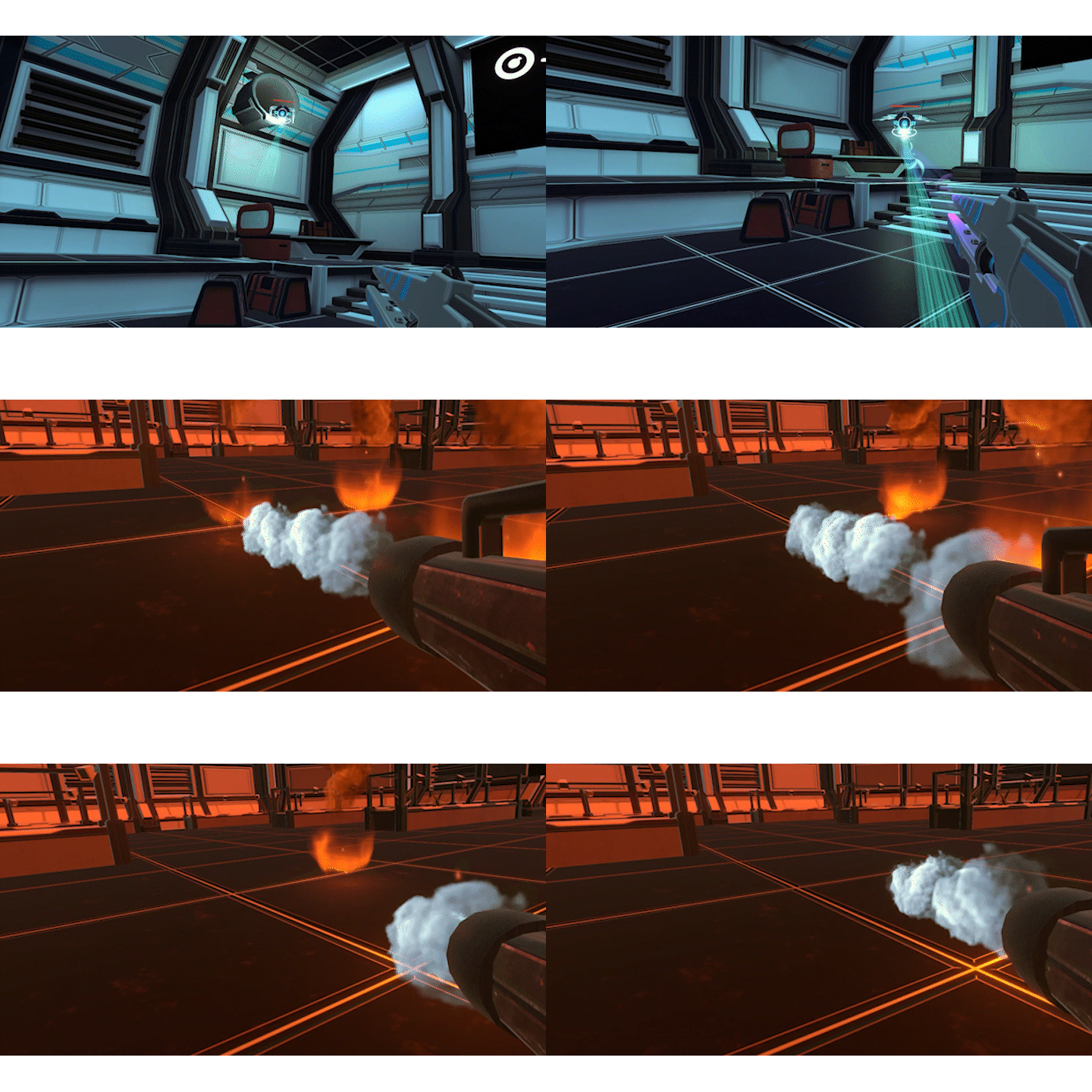
The Skinetic vest was a device that could be used mainly in two categories of virtual simulations: gaming and industrial training.
Although mods existed for several VR games, their interactions were too complex for the average user to fully appreciate the technology. To bridge this gap, I designed a series of VR technical demos.
These demos were simple, focused experiences that allowed users to trigger haptic feedback intuitively and understand its value firsthand.
Skinetic Hub
Activities
Quickly designed a UI/UX for a tool for device setup tool
Collaborated with the development team to determine the user actions and workflow
Role
UI/UX designer
Tools
Adobe XD
Adobe Illustrator
Designing a device setup tool
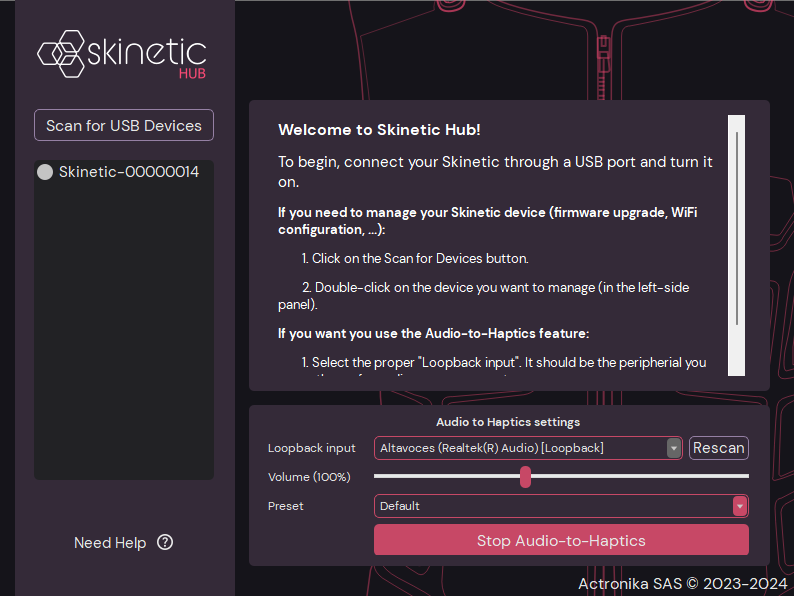
Objective
Provide an application for Skinetic users to update the vest's firmware and set parameters to enable network connectivity and audio-to-haptics.
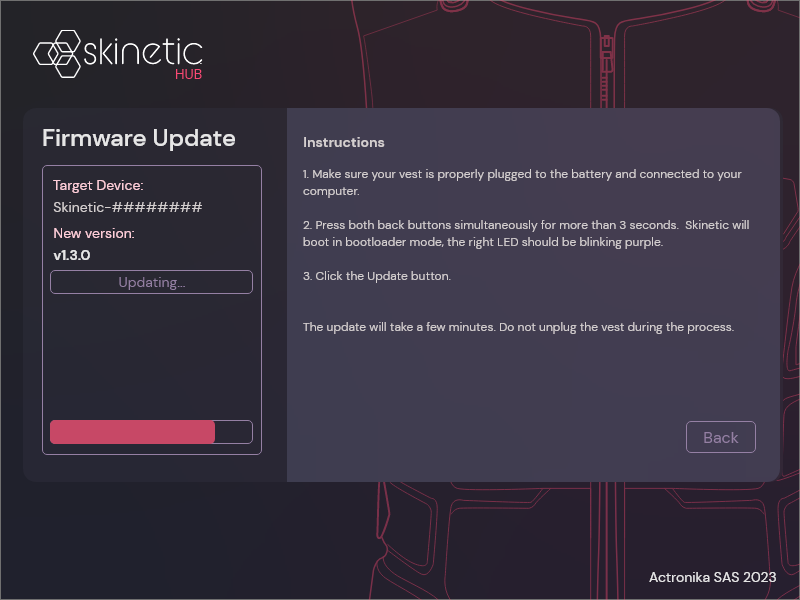
Process
Skinetic Hub was designed in collaboration with the engineering team at Actronika to define the necessary workflows for users in technical procedures such as setting up the WiFi configuration of Skinetic and updating its firmware.
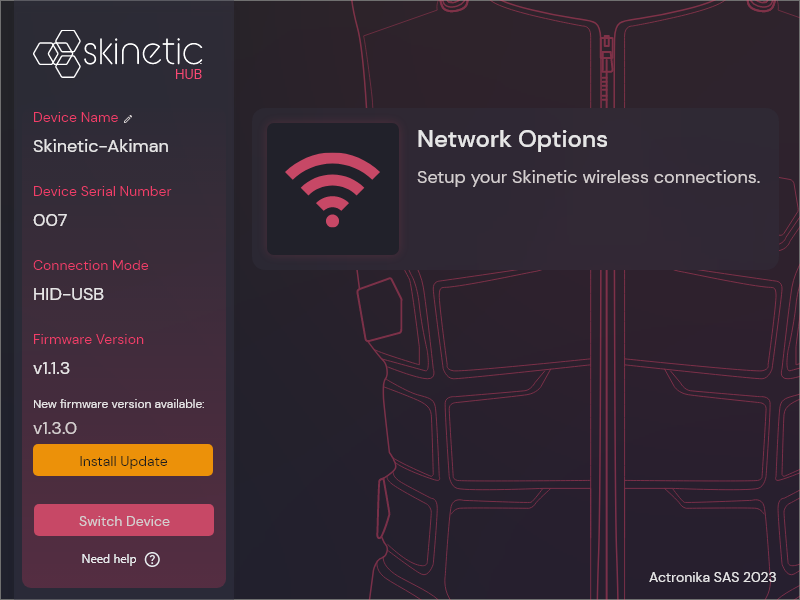
Outcomes
Skinetic Hub was integrated as part of the Skinetic ecosystem. The wireless connectivity and audio-to-haptic features were showcased as key factors for client adoption.
The audio-to-haptic feature, for instance, was appreciated by clients who wanted to use Skinetic to watch videos/movies and feel the audio track on their bodies.
Designing haptic feedback for enhanced user immersion
Activities
Designed haptic feedback for increasing user immersion and showcasing Actronika’s product capabilities
Provided consulting on haptic effect creation for Actronika’s clients and partners
Role
Haptic designer
Tools
Unitouch Studio
Adobe Audition
Unitouch Engine
Haptic Feedback Design
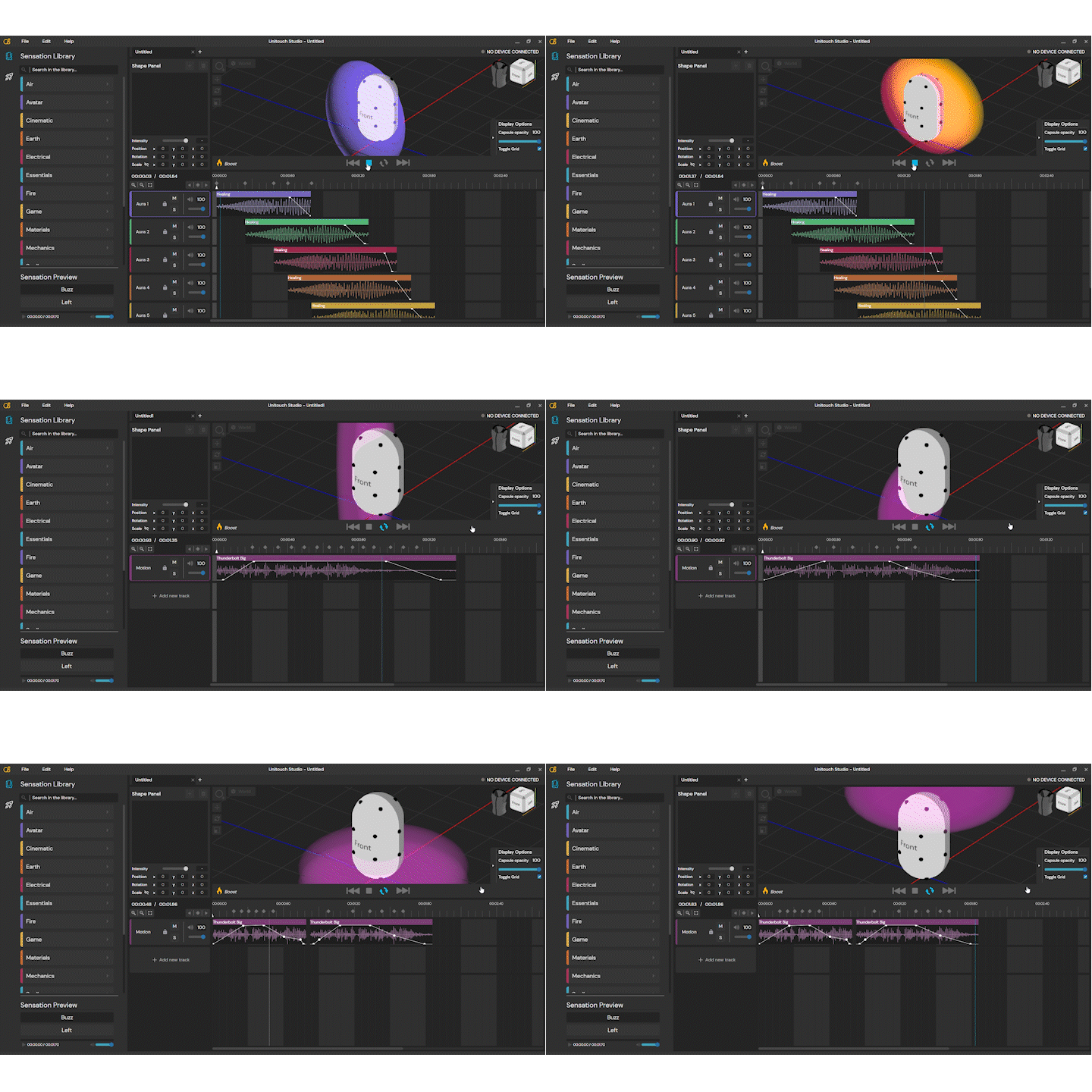
I used Unitouch Studio for designing haptic effects applied to different use-cases for Actronika’s clients and projects.
I participated in the creation of haptic effects for early versions of Skinetic demos. Beyond the rich sensations users could experience through Actronika’s actuators, people greatly appreciated how the effects “moved” from one location to another.
Context
Context is key to creating meaningful haptic sensations. During my time at Actronika, I created haptic effects for the company’s demos.
I also provided consulting on haptic effect creation for the MuseIT project. I defined haptic integration pipelines and best practices adopted across multi-disciplinary research teams.